


1. The app
Start with CamHipro.
Install the free CamHipro app on your phone or tablet. This is where you’ll view and control your camera.
Good to know
The app is free to use. A paid data plan is needed when connecting your camera over 4G.
Help from our Kent team, from setup to everyday use.
Google + Facebook reviews
I have to say the service was truly outstanding
Excellent customer service and we would highly recommend.
We needed advice on which bundle for storage, so spoke to the team who were very friendly and clarified the options perfectly.
Great company. Responsive and professional.
The instructions were clear and easy to follow, so we had the cameras up and running without any fuss.
Easy to set up and easy to use. Definitely recommend.
Made for rural life
Check your animals, see who’s at the gate or keep an eye on machinery from your phone. Whether you’re in the house or away from the farm, you can see what’s happening without another trip across the yard.
Farm Security.
Livestock Monitoring.
Equine & Stables.
Construction Sites.
Yard & Gates.
Rural Properties.
Recording, made simple
Watch live from your phone or look back at what happened earlier. A memory card saves your recordings in the camera, ready to watch in the app, with no cloud storage fees.
Your camera keeps the footage. Your phone puts it within reach.
A larger memory card keeps more days of recordings before the oldest footage is replaced.
Times are approximate and depend on picture quality and activity. When the card is full, new video replaces the oldest recordings.
Set recording and alert times to fit your routine, whether you need daytime checks or an overnight watch.
Motion markers help you find useful clips without scrolling through hours of footage.
Connected in the countryside
Use 4G where WiFi doesn’t reach, or connect to your existing WiFi near a building. Both modes are built into the same 360 Mini, so you can switch if you move it.
Data plans from £7.99 a month. Each extra SIM is £4.50 a month, sharing the same data.
Recording uses no data. Your video saves to a memory card. Watching on your phone and receiving alerts use mobile data.

Cancel, upgrade or downgrade at any time.

All your cameras share one data plan and one monthly payment.

Choose your plan and activate your SIM when your camera arrives.
Connect to whichever has the strongest available signal at your camera: EE, O2, Vodafone or Three.
More cameras doesn’t always mean you use more data. It depends on how much you watch and the alerts you receive.
Connect through your existing WiFi and use the free app to watch live, check recordings and get phone alerts.
Use your existing broadband, with no separate camera data plan.

Save to a memory card and view recordings in the app. No cloud storage fees.

Add as many users as you need, so family or colleagues can check in too.
You need an internet connection and WiFi signal at the camera, plus continuous power. Add a memory card to save recordings.
Open the free app to see your camera’s live view, wherever you have internet access.
View the recordings saved on your camera’s memory card. No cloud storage fees.
Share access with family or colleagues. Add as many users as you need.
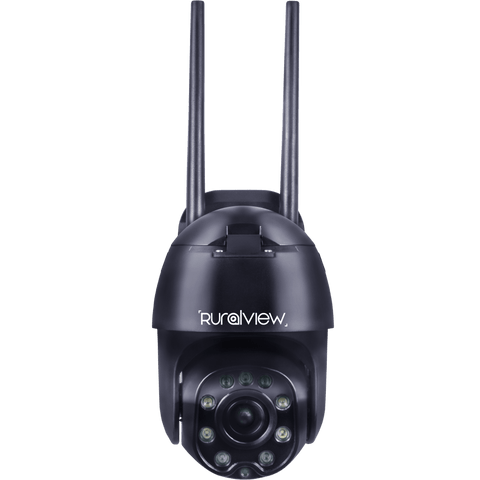
See who’s near your buildings without steering the camera yourself. The 360 Mini turns and tilts to keep a person in view, and can send an alert to your phone.
The camera spots a person entering the view, whether they’re near your gate, yard or buildings.
Automatic pan and tilt follows the detected person as they move, so you can watch without steering the camera manually.
Turn on people alerts in the app. When your phone alerts you, open the live view to see what’s happening.
105° wide-angle view
See more of a stable or yard in one picture with the wide 105° view. Turn the camera from your phone to look around, then use the 5x optical zoom to check an animal or take a closer look.

105° field of viewTake in more of your yard or stable.
5x optical zoomLook closer when you need detail.
Pan and tilt controlAdjust your view from the app.
Simple from the start
Our setup guides takes you through it step by step, from connecting your camera to your first live view. Our UK team is here if you need a hand.
Install the free CamHipro app on your phone or tablet. This is where you’ll view and control your camera.
The app is free to use. A paid data plan is needed when connecting your camera over 4G.
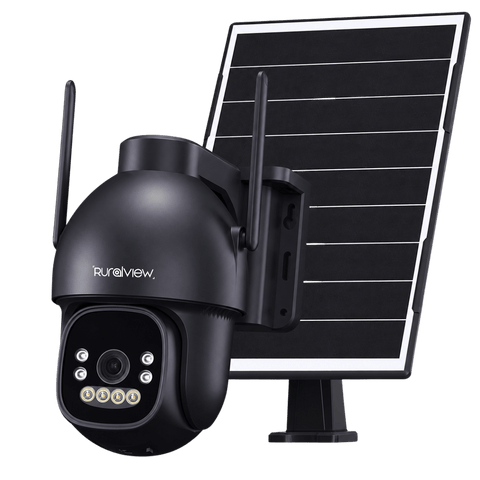
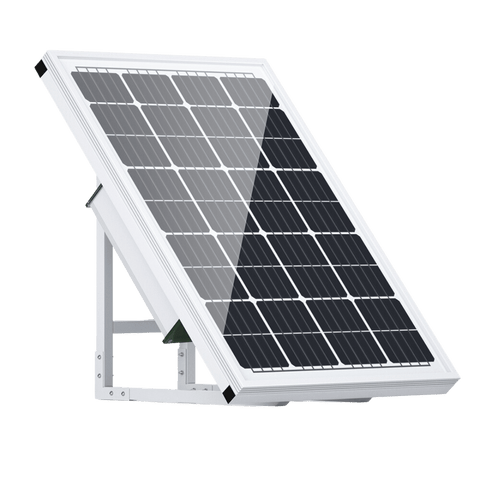
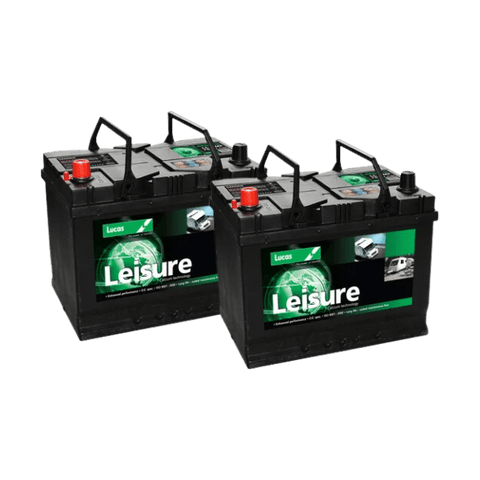
Use mains power, a suitable external 12V battery, or a compatible solar and battery kit.
The 360 Mini has no internal battery. It needs a continuous power supply while in use.
Use WiFi within reach of your router, or an active SIM and paid data plan where a suitable 4G signal is available.
Check the signal at your chosen camera position. Follow the setup guide for your connection type.
Follow the guide to add your camera in CamHipro using its QR code, then open the live view.
Check the view and adjust the camera position in the app before settling on your final setup.
The RuralView Lifetime Promise
Get help from our UK team while you own your camera, even after the 18-month warranty ends.

Standard protection from day one.

Technical help while you own your camera.

Repair explored where practical.

Refurbished options or preferential pricing, where available.
The finer details
Plan where your camera will go with its measurements, connections and everything included in the box.
5x Optical Zoom: up to 50m in detail
350° Pan & Tilt: remote control from your phone
Automatic People Tracking: follows people
Up to 50m Night Vision
20m Colour Night Vision (white LEDs)
Advanced Low-Light Performance
4G Multi-Network SIM: signal required
No WiFi Needed: ideal for remote locations
Connectivity Switch: between WiFi and 4G mode
Up to 256GB microSD Card
Continuous, Scheduled or Motion Recording
Easy Access: watch via mobile app
UK Weatherproof Rating: all year round
No Internal Battery: requires mains or 12V battery
Solar Panel Compatible: requires battery setup
Setup guides and UK support
Free-to-Use App: multiple user access
18-Month Warranty: UK support
Here to help
Connection, data, recordings and power, explained. Find more answers in our FAQs.
A little help along the way
| Item | Price | Qty | Total | |
|---|---|---|---|---|
| Subtotal |
£0.00 |
|||
| Shipping | ||||
| Total | ||||


